


Best AR Drawing Apps in 2026
Augmented reality promises to turn any table, wall, or notebook into a canvas, but in practice, only a handful of apps truly help you draw faster, more accurately, and with greater creative freedom. In this article, we’ve gathered the best AR drawing apps that actually deliver. You’ll discover which ones are worth your time and money, how they differ from one another, and which app fits your specific needs, whether it’s sketching, learning, digital art, or quick drawings brought to life in real space.
Table of content
ShadowDraw
Platforms: iOS (iPad with Apple Pencil)
ShadowDraw teaches beginners how to draw through guided, step-by-step lessons created by professional artists. Theapp requires you to complete each pencil stroke accurately before moving forward, ensuring you build proper technique from the ground up. With over 2,000 hand-drawn tutorials covering anime, portraits, animals, and more, it functions like a personal art teacher on your iPad.
Key Features
- Progressive Step-by-Step System. Each lesson unlocks only after you complete the previous stroke correctly, preventing you from skipping ahead and forcing you to develop solid drawing fundamentals.
- Professional Artist Tutorials. Follow the exact pencil strokes of experienced artists who created the original drawings, learning their techniques through hands-on practice rather than passive watching.
- Two Learning Modes. Art Teacher Mode selects brushes and colors automatically so you focus on technique, while Sketch My Way lets you choose your own tools for creative expression.
- Extensive Lesson Library. Access over 2,000 guided drawing exercises across popular categories including manga and anime characters, people and portraits, animals, architecture, botanical subjects, and seasonal art.
- Daily Practice Structure. Short, approachable lessons designed to help you build a consistent drawing habit without overwhelming your schedule.
- Family Sharing Support. A single ShadowDraw+ membership unlocks the complete tutorial library for everyone in your household, letting each person learn at their own pace.
Website: shadowdrawapp.com
Price:
- 7.99$/monthly
- 49.99$/yearly
ArtEasy
Platforms: iOS
ArtEasy focuses on teaching proper drawing fundamentals rather than simple tracing, using AR to project sketches onto paper. The app combines step-by-step lessons with a growing template library and AI sketch generation.
Key Features
- AR Projection onto Any Surface. Project images through your smartphone camera onto paper, walls, tables, or any workspace, letting you trace a projected picture and color it as you prefer.
- AI Sketch Generator. Type a request and instantly receive custom templates created by AI, eliminating the need to search for specific references online.
- Personal Template Management. Save uploaded images and custom sketches in the "My Templates" section for quick reuse, creating your own organized drawing toolset.
- Built-in Image Search and Import. Enter search queries directly in the app, browse results in your browser, and instantly import any sketch or picture without switching between applications.
- Step-by-Step Drawing Lessons. Access an expanding library of tutorials that teach fundamental skills like form and proportion, helping you understand why drawings work rather than just copying lines.
- Extensive Template Categories. Choose from ready-made sketches across anime, cartoons, anatomy, animals, cars, tattoos, people, nature, food, and collections updated regularly with fresh content.
Website: arteasy.app
Price:
- $9,99/week
- $44,99/year
ArtWorkout

Platforms: iOS, Android
ArtWorkout combines drawing education with relaxation through bite-sized lessons that actively measure your stroke accuracy and quality. The app analyzes each line you make, providing instant feedback to help you improve your technique while building a daily creative habit. With over 3,000 lessons and a new multiplayer mode, it turns skill-building into an engaging, stress-free experience trusted by 75 million users worldwide.
Key Features
- Accuracy and Quality Analysis. The app measures how precisely your strokes match the intended result and evaluates line steadiness, cleanliness, and expression, giving you concrete feedback that typical tracing apps don't provide.
- Dynamic Step-by-Step Tutorials. Each lesson breaks down into 10-30 simple steps, guiding you through various drawing, painting, and sketching techniques without overwhelming you with theory.
- Real-Time Multiplayer Mode. Draw together with friends or other users around the world, comparing progress and enjoying collaborative creativity in live sessions.
- Comprehensive Scoring System. Track your improvement through an innovative algorithm that clearly shows your progress over time, turning practice into measurable skill development.
- Weekly New Content. Access fresh lessons every week, often inspired by global cultures and time-limited holiday events, keeping your practice routine engaging and diverse.
- 10-20 Minute Sessions. Short, focused lessons designed to fit busy schedules while keeping your hands busy and your mind relaxed. 80% of users report feeling better after using the app.
Website: artworkout.app
Price:
- 7.99$/monthly
- 59.99$/yearly
Da Vinci Eye

Platforms: iOS, visionOS, Android
Da Vinci Eye transforms your smartphone into a modern camera lucida, letting you project any image onto your canvas using augmented reality technology. Theapp works like a digital art projector but offers more flexibility. You can draw on any surface, zoom into fine details, and work in normal lighting conditions. Over 2 million artists use this tool to maintain accurate proportions and create professional artwork.
Key Features
- AR and Classic Projection Modes. AR mode anchors your image to real-world objects so your reference stays aligned even when you move, while Classic mode functions like a traditional art projector for stationary work.
- Strobe Tool for Realistic Shading. Compare color values between your reference and canvas in real-time, helping you place shadows, mid-tones, and highlights with precision.
- Breakdown Mode. Converts any photo into step-by-step stencils separated by color value, making complex images easier to tackle layer by layer.
- Time-Lapse Recording. Automatically captures video of your drawing process, perfect for sharing your artistic journey or tracking your progress.
- Drawing Lessons and Daily Prompts. Access structured tutorials using patent-pending learning methods that train your eye to recognize proportions and your hand to execute precise strokes.
- Mural Maker Companion App. Paint large-scale murals without tedious grid preparation, with outdoor projection capability that works even in sunlight.
Price: Free with in-app purchases; Da Vinci Eye Pro subscription available (pricing varies by region)
Website: davincieyeapp.com
Price:19.99$ for Android, andfree for iOS with the option to upgrade.
AR Drawing
Platforms: iOS, Android
AR Drawing uses your phone's camera to project images onto any surface, letting you trace a projected picture on paper and color it. The app combines augmented reality technology with over 200 step-by-step drawing lessons and 700+ ready-made templates across various categories. You can also upload your own photos to draw or use AI to generate custom sketches based on text descriptions.
Key Features
- Camera-Based AR Tracing. Use your camera to trace images projected onto paper, canvas, or any surface, making it easy to transfer complex designs with accurate proportions.
- 700+ Drawing Templates. Access ready-made sketches across multiple difficulty levels and subjects including anime, portraits, animals, landscapes, and architecture, available in both color and black-and-white formats.
- AI Sketch Generator. Type what you want to draw and let AI create a custom sketch adapted to your skill level, or convert your own photos into drawing-friendly outlines.
- 200+ Step-by-Step Lessons. Work through structured tutorials designed to progressively build your drawing skills until you can create artwork independently without AR assistance.
- Video Recording and Sharing. Capture time-lapse videos of your drawing process and save your finished work to your gallery or share it with friends.
- Built-in Flashlight. Draw in any lighting condition with the integrated flashlight feature that illuminates your work surface.
Website: ar-drawing.com
Price:9$/week
Sketchar

Platforms: iOS, Android
Sketchar pioneered AR drawing technology in 2012, using patented augmented reality to project virtual images onto real surfaces through your device's camera. Theapp combines AR tracing with 750+ structured drawing lessons and a built-in digital canvas featuring professional tools like layers, custom brushes, and automatic stroke smoothing. With 12 million users, it offers both learning resources and a creative community for artists at any skill level.
Key Features
- Patented AR Projection Technology. Project images onto paper, walls, fabric, or any surface without needing smartphone holders or makeshift stands. Simply use your device's camera to trace outlines directly.
- 750+ Detailed Drawing Lessons. Access comprehensive tutorials covering anime, portraits, celebrities, fan art, animals, anatomy, and landscapes, each designed with text explanations and personalized growth plans.
- Professional Digital Canvas. Create and edit artwork using advanced tools including multiple layers, custom brushes, automatic stroke smoothing, time-lapse recording, and a unique liquid brush feature.
- Weekly Art Challenges. Participate in interactive contests, collaborate with other artists using shared templates, and showcase your work to gain recognition within the global community.
- Personalized Rewards System. Track your progress and stay motivated with customized rewards as you advance through your creative journey.
- Public Artist Profiles. Build a portfolio, expand your fanbase, and connect with experienced artists while sharing your creations with millions of users worldwide.
Website: sketchar.io
Price:
- 14.99$/monthly
- 69.99$/yearly
AR Easy Draw
Platforms: Android
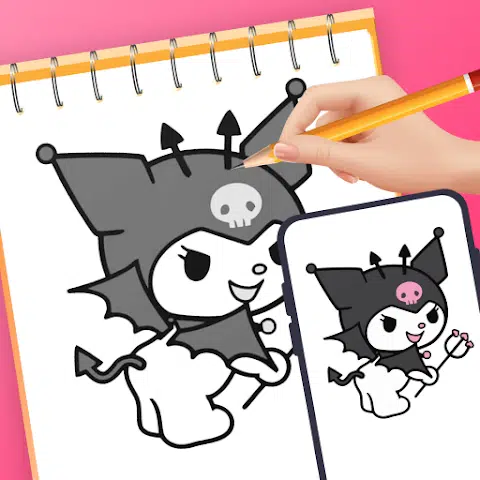
AR Easy Draw turns your phone into a camera-based drawing tool that lets you sketch anything by looking through your screen. Theapp transforms complex photos into simple outlines for tracing and offers lessons across three difficulty levels. With 50 million users worldwide, it provides extensive character libraries including popular anime and cartoon figures, plus advanced options like opacity adjustment and process recording.
Key Features
- Camera-Based Drawing Mode. Place your phone on a stand and sketch what you see through the screen, from sample photos and surrounding objects to popular characters like Hello Kitty, Pikachu, or Jujutsu Kaisen.
- Photo-to-Outline Conversion. Transform complex images into simple traceable outlines, making it easier to practice drawing skills without getting overwhelmed by details.
- Three-Level Learning System. Choose from beginner, intermediate, or advanced difficulty levels, each offering progressively challenging exercises to hone your skills as you improve.
- Extensive Topic Library. Access diverse categories including anime, cartoons, animals, food, chibi, people, fan art, vehicles, flowers, and seasonal themes like Christmas.
- Advanced Drawing Options. Adjust opacity for optimal viewing, record videos of your drawing process, zoom in and out as needed, toggle flash on and off, and use extend features to customize your experience.
- Progress Tracking Profile. Monitor your skill improvement journey by tracking time spent drawing and lessons completed through your personalized AR Drawing profile.
Website: play.google.com/store/apps/details?id=com.draw.sketch.ardrawing.trace.anime.paint
Trace Drawing App (Sketchify)
Platforms: iOS (iPhone and iPad)
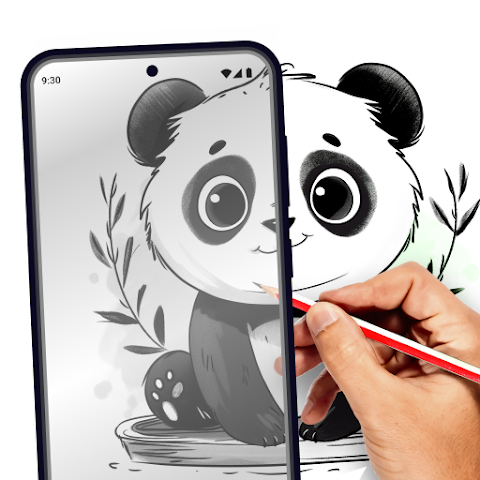
Sketchify combines AR projection, AI image generation, and traditional drawing tools into one comprehensiveapp. You can project any image onto real-world surfaces through your camera, generate original artwork from text descriptions using AI, or import photos from your library to trace. The app integrates step-by-step drawing lessons with these features, creating a complete workflow for artists at any skill level.
Key Features
- AR Projection with Real-Time Tracing. Use your camera to project images onto paper, canvas, walls, or any workspace, then trace outlines directly through your screen with adjustable size, rotation, and zoom controls.
- AI Art Generator. Describe any concept or scene in text and receive original AI-generated artwork within seconds, which you can then use as references for tracing or further customization.
- In-App Image Search. Find high-quality reference images directly within the app without switching to a browser, streamlining your workflow from inspiration to creation.
- Photo Import and Customization. Pull images from your photo library and combine them with AR drawing to trace personal references with precise positioning and alignment on your chosen surface.
- Integrated Drawing Lessons. Follow step-by-step guides that move from basic shapes to advanced techniques, fully integrated with AR drawing for interactive learning.
- Session Recording and Coloring Tools. Capture your entire drawing process from start to finish for tutorials or progress reviews, then enhance finished work with palettes, gradients, and fill options.
Website: https://play.google.com/store/apps/details?id=tracesketch.draweasy.traceanything
.webp)


